Clip for iPhone
1 second a day.
Your year on film.
Film a second of every day, or pick one from your library. Clip keeps each moment on a calendar and turns any month or year into a film worth rewatching.
4.5 on the App Store
How it works
A few seconds a day.
That’s it.
- 1
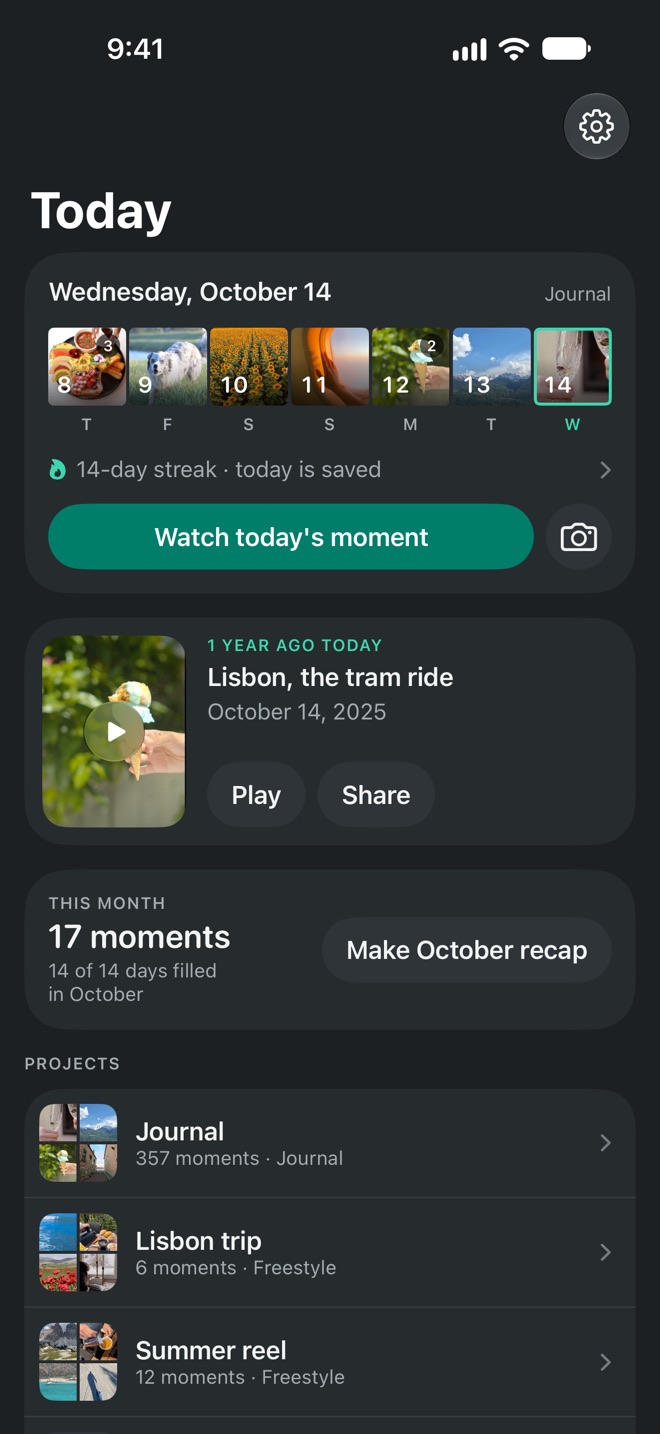
Add today’s moment
Film it in Clip or pick a video you already shot, and keep the best second. Your streak grows one day at a time.
- 2
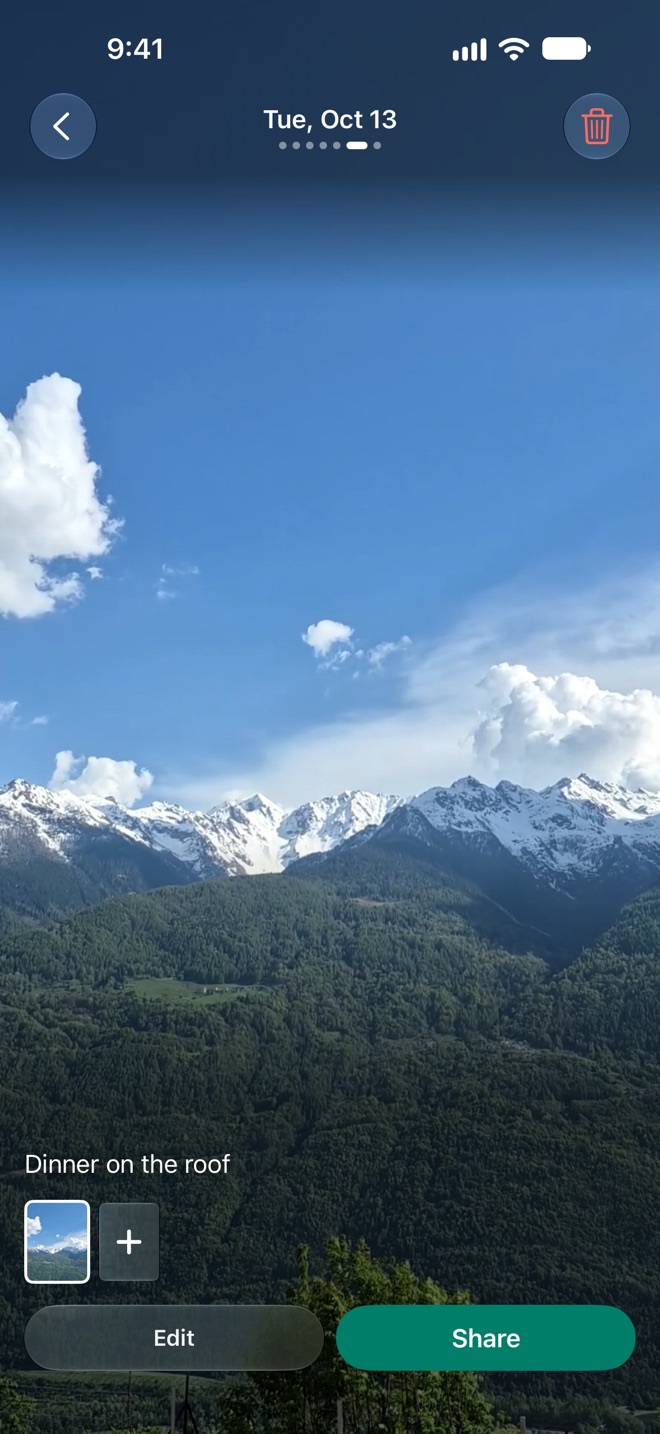
Add a note if you like
A few words about the day stay with its moment, and can become captions in your recap.
- 3
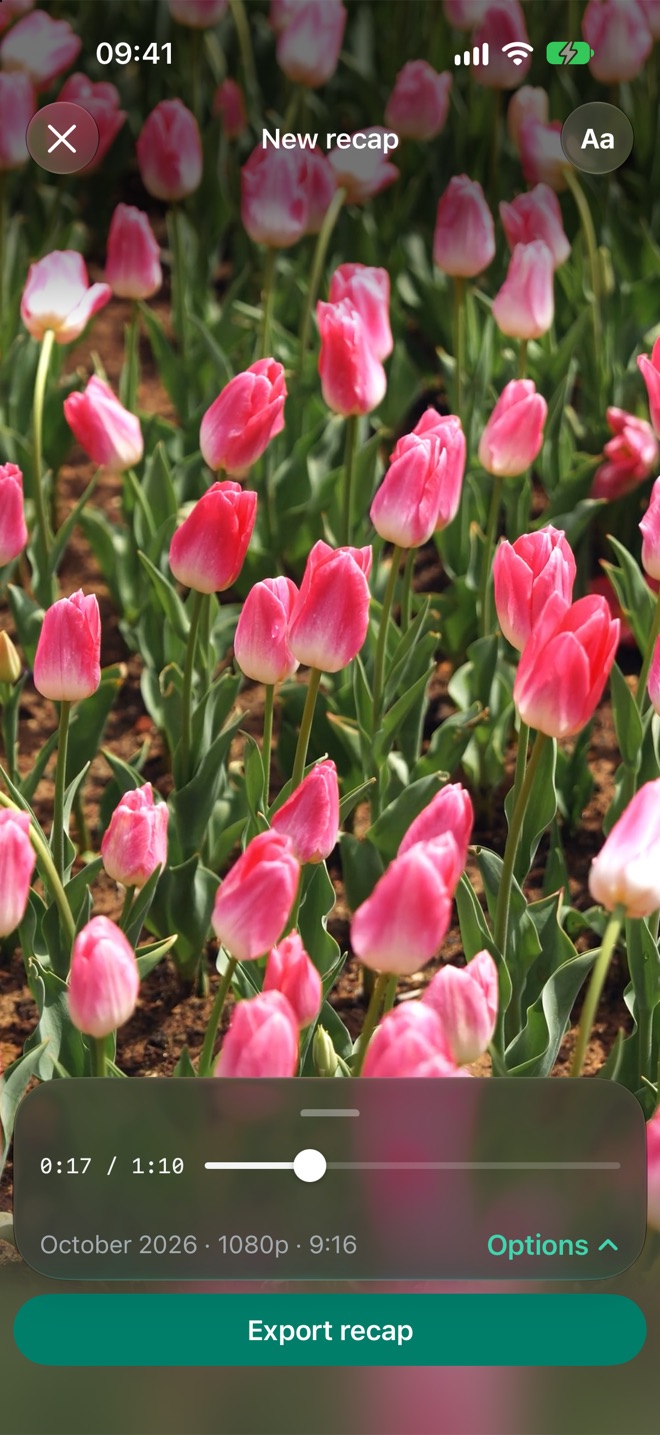
Watch it back
At the end of a month or a year, Clip plays every moment in order, set to music, ready to share.
Auto-Fill
Missed a few days?
You already filmed them.
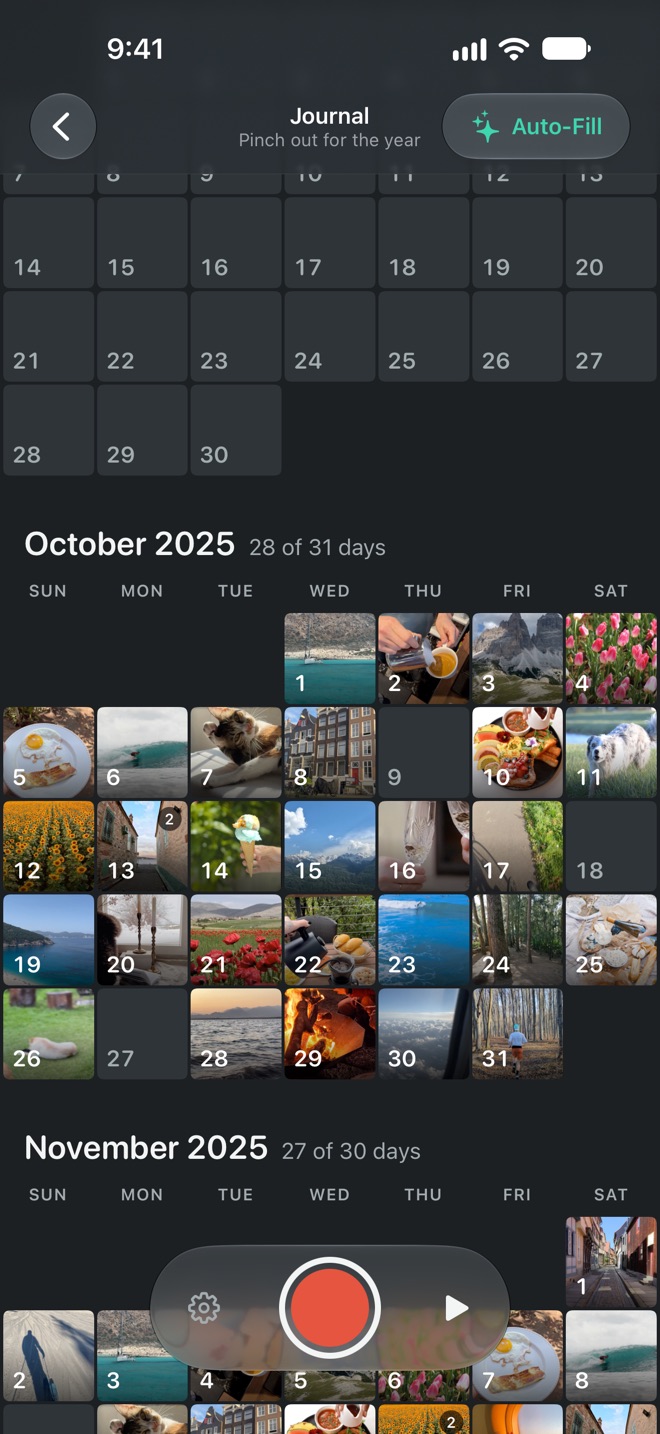
Auto-Fill looks through the videos in your library and suggests a moment for every empty day of a month. Keep the ones you like; the calendar fills itself.
- Works on any month, past or present
- Runs on your iPhone; nothing is uploaded
- You choose which suggestions to keep
Together
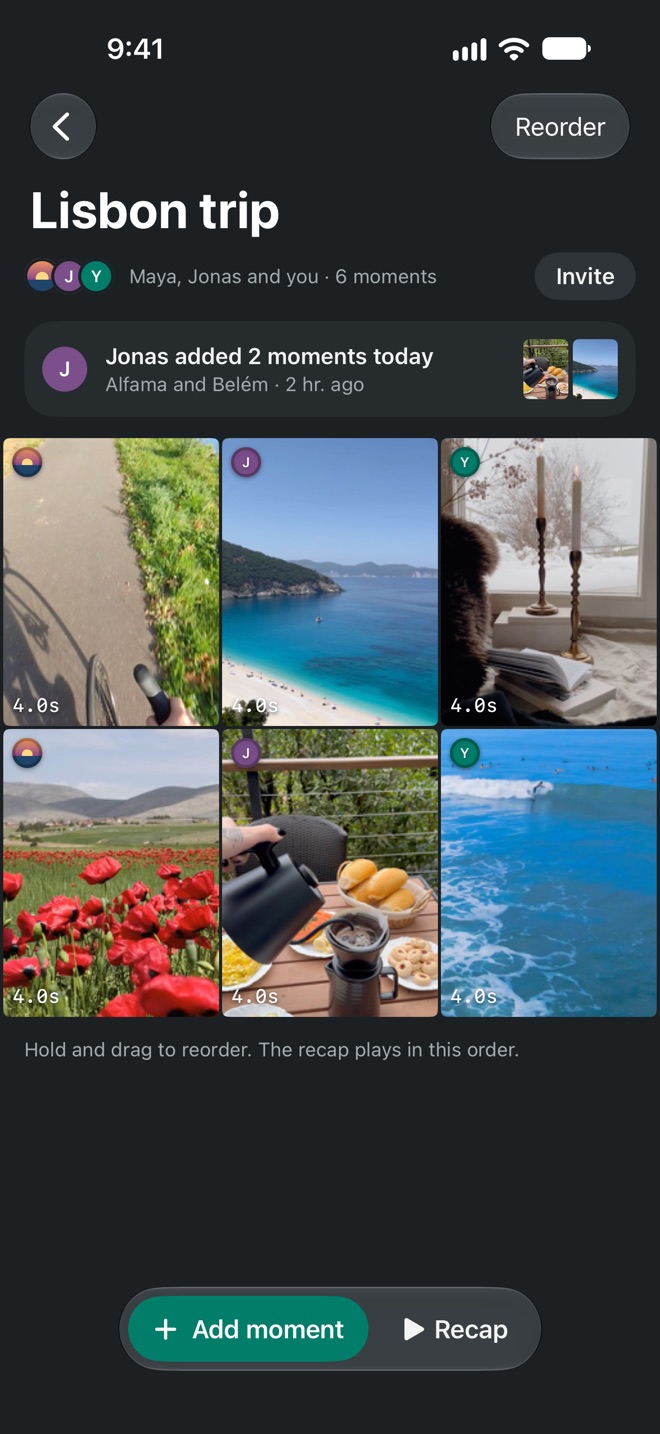
One trip, three phones,
one film.
Share a project with family or friends. Everyone adds their moments from their own iPhone, and the recap plays them all in order.
- Invite family and friends
- See who added what, and when
- Shared through iCloud, never our servers
Remember
Your past, back on cue.
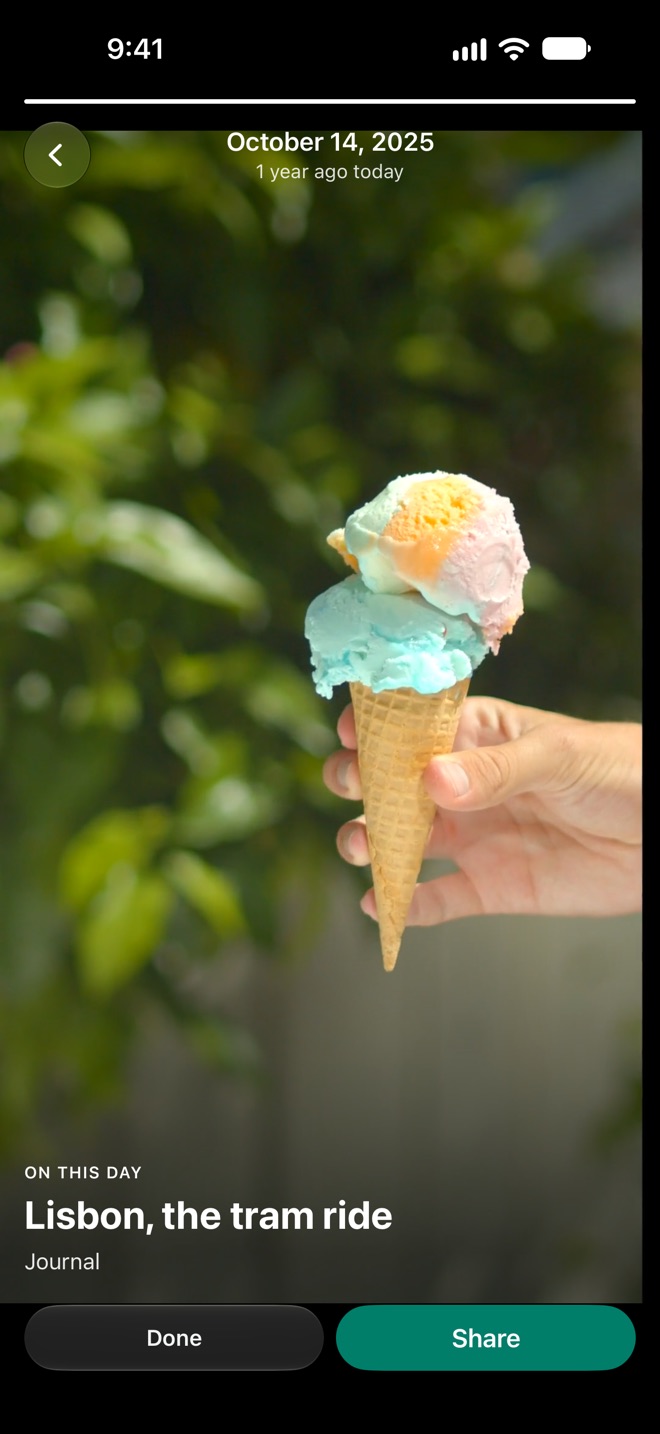
On This Day
A year from now, Clip brings today’s moment back.
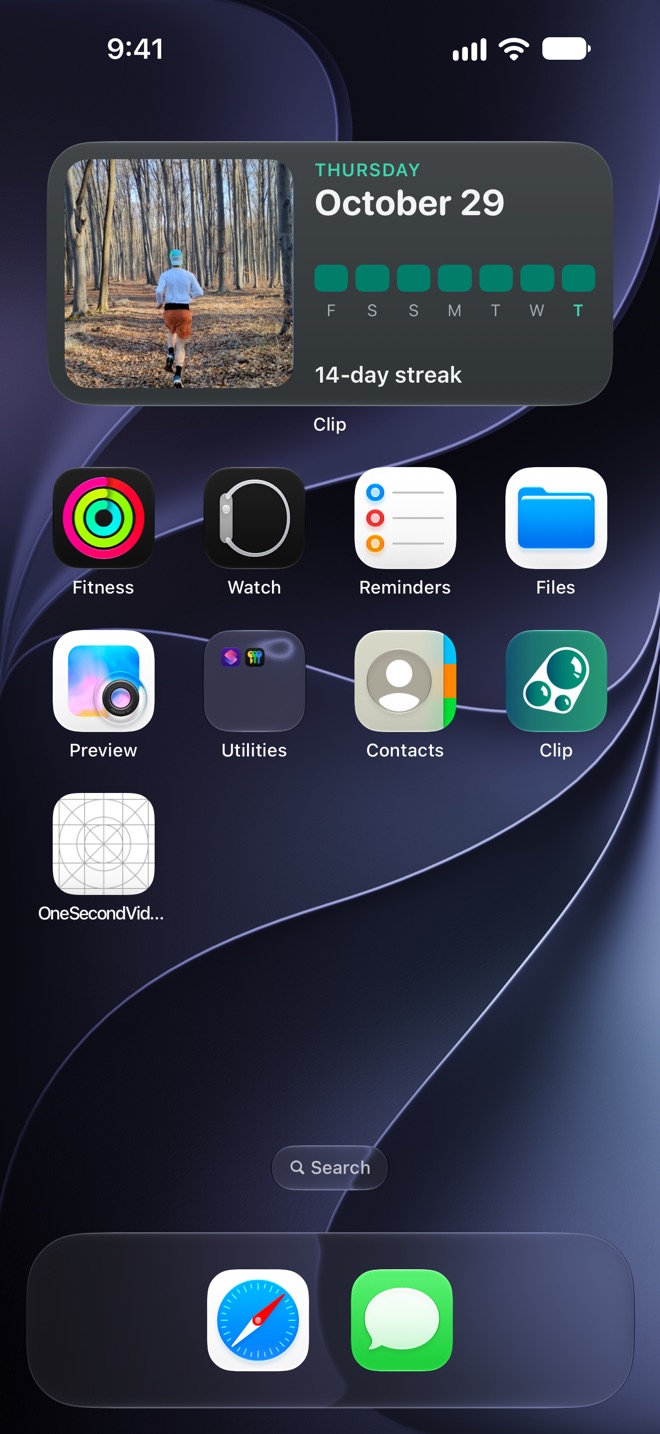
On your Home Screen
The widget shows today’s moment and your streak, and a gentle reminder in the evening keeps it going.
Reviews
Rated 4.5 on the App Store.
“Its fast, interface is simple and what’s really nice I didn’t have to register or anything. Straight to business, right after download.”
“Its very easy to upload and trim clips, holds your place in editing and selecting from albums. Definitely impressed. Simple user interface.”
“Compared to the competition it has very few limits in free version. You can multiple one second videos to every day.”
Your moments
stay yours.
- On your iPhoneMoments, notes and projects live on your device, and in your own iCloud if you turn on Backup.
- No accountNo sign-up, no email, no profile. Open the app and start.
- No ads, no trackingClip doesn’t show ads or follow you across apps and websites.
FAQ
Questions.
Is Clip free?
Yes. Recording a moment every day, the calendar, streaks, reminders, the widget, On This Day and recaps are free. Premium adds longer moments, soundtracks, 1080p and 4K export without the end card, unlimited Auto-Fill and shared projects.
Do I need an account?
No. Open the app and record your first moment. There’s nothing to sign up for.
Can I add videos I’ve already shot?
Yes. Pick any video from your library and keep the best second, or let Auto-Fill go through a month and suggest a moment for each day you missed. You review every suggestion before it’s added.
Where are my videos stored?
On your iPhone, and in your own iCloud if you turn on Backup in Settings. Clip has no servers that store your videos.
How long is a recap?
As long as your moments: a month of one-second moments is about 30 seconds, a whole year about six minutes. Make one for a month, a year or any range of days, and export it in 9:16, 16:9 or square.
How do I cancel Premium?
Subscriptions are managed by Apple: open the Settings app, tap your name, then Subscriptions, then Clip. You keep Premium until the end of the period you paid for.
Anything else? Visit support or write to support@get-clip.app.

Start with today.
A year from now, you’ll be glad you did.
Download on theApp Store